
Vendor Central “Permanently Unavailable” ASINs: What to Do When Orders Still Come Through
Updated 6 min read StaffCloud
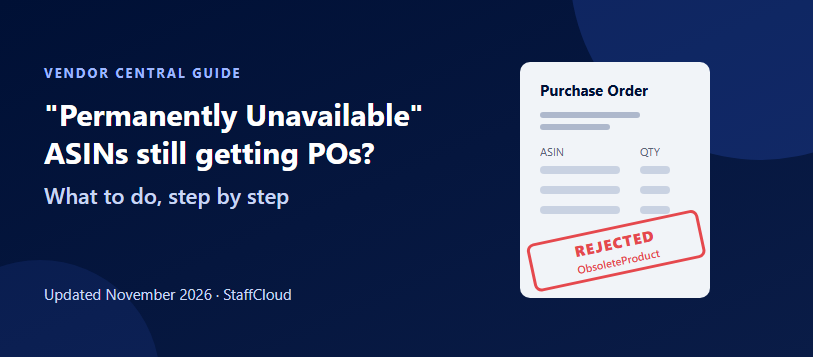
Short answer: marking an ASIN "permanently unavailable" in Vendor Central doesn't stop purchase orders straight away. Amazon may already have POs in flight, and its replenishment systems can keep ordering. Confirm every new PO within 24 hours and reject the discontinued lines with the obsolete product reason (
ObsoleteProductin the API), not "temporarily unavailable". If orders keep arriving, open a Vendor Central case asking Amazon to stop replenishing those ASINs.
Discontinuing a product should be the end of the story. In Vendor Central it often isn't. You set the ASIN to permanently unavailable, and a week later it is back on a purchase order. Handled badly, that leads to wasted confirmation work, confused warehouse teams and, in some cases, chargebacks for rejected units. This guide explains why it happens and how to close the loop properly.
What "permanently unavailable" means
Vendor Central lets you set an availability status for each ASIN, typically under Items › Catalog. The options mean very different things to Amazon's ordering systems:
| Status | What it tells Amazon | When to use it |
| In stock / available | You can fulfil orders for this ASIN | Normal selling |
| Temporarily unavailable | You can't supply it now, but expect to again | Stock-outs, production delays, seasonal gaps |
| Permanently unavailable | The product will never be supplied again | Discontinued, replaced by a new model, or no longer sold to Amazon |
Use "permanently unavailable" only when you mean it. If the product might come back, use temporarily unavailable instead. Reversing a permanent status, and getting Amazon to start ordering again, is far harder than lifting a temporary one.
Why purchase orders keep coming
- POs already in the pipeline. Orders generated before you changed the status still arrive and still need confirming.
- Replenishment lag. Amazon's ordering is driven by automated demand forecasts. Agency guides consistently report that POs can keep arriving for a while after an item is marked unavailable, especially for ASINs that still sell well.
- More than one vendor code. If your business supplies Amazon under several vendor codes, the ASIN may still be active on a code you didn't update.
- Other suppliers on the same ASIN. If another vendor account or distributor is also linked to the ASIN, Amazon may still treat it as an active item.
Step by step: stopping POs for a discontinued ASIN
1. Set the status on every vendor code
Update the ASIN to permanently unavailable in the catalogue for each vendor code it is linked to. Keep a record of the date. You'll need it if you dispute a chargeback later.
2. Confirm every new PO within 24 hours
Amazon expects purchase orders to be acknowledged within 24 hours. Accept the lines you can ship. Reject the discontinued ASINs with the reason that says the product is no longer sold (see which rejection reason to use). Don't simply ignore the PO. Under Amazon's API rules, any line left out of an acknowledgement is treated as rejected anyway, but then you've lost control of the reason recorded.
3. Open a case if POs keep arriving
If the ASIN keeps appearing on new POs after you've rejected it as obsolete, open a case through Vendor Central's support (Contact Us). Ask Amazon to stop replenishing the ASIN and to record it as discontinued. Include:
- The ASIN(s) and the vendor code(s)
- The date you set them to permanently unavailable
- The PO numbers that arrived afterwards, and how you responded
- A clear statement that the product is discontinued and will not be supplied again, plus the replacement ASIN if there is one
Keep the case open until Amazon confirms the change, and reply quickly if they ask for more detail. Cases often need a follow-up.
4. Watch the next few PO cycles
Keep the discontinued ASINs on a watch-list and check each incoming PO against it until they stop appearing. That catches any vendor code or linked account you missed.
Which rejection reason to use
Amazon's vendor order acknowledgement (used by EDI and API integrations) has three rejection reasons. Vendor Central's confirmation screen offers equivalent choices:
| API reason | Meaning | Use it for |
ObsoleteProduct | The item is no longer sold | Discontinued ASINs. This is the signal you want Amazon to act on |
TemporarilyUnavailable | The item isn't available right now | Short-term stock-outs only. Using it for a discontinued item tells Amazon to keep trying |
InvalidProductIdentifier | The item can't be found with the identifier given | Wrong or unknown ASIN, UPC or EAN on the PO |
Two further rules: once a line has been rejected it can't later be changed to accepted, and rejecting a whole line doesn't rule out accepting the other lines on the same PO.
Chargebacks and metrics to watch
Rejecting units isn't free of consequences. Amazon tracks how much of each PO you confirm, and some vendor agreements include a rejected PO units chargeback. Agency guides published in 2026 describe it as applying when more than 20% of a PO's units are rejected or backordered, at 3% of the cost of the units over that threshold, with exemptions for low-volume vendors. The exact terms depend on your agreement. Check the chargebacks section of Vendor Central and your vendor terms rather than relying on published figures.
That's why the reason code and the paper trail matter. If a chargeback lands on a PO full of discontinued ASINs, the record of when you marked them permanently unavailable, the obsolete-product rejections and your open case are your evidence for a dispute.
The "three rejections" rule
Older advice, including an earlier version of this article, said that after about three rejected POs Amazon's system automatically excludes the ASIN and the orders stop. That may have matched experience at the time, but we couldn't find current Amazon documentation confirming a fixed number. Don't rely on it. Reject with the right reason every time, and open a case rather than waiting for a threshold that may not exist.
Handling a long list of discontinued ASINs
Discontinuing one ASIN is admin. Discontinuing two hundred during a range review is a project:
- Keep one master list of discontinued ASINs, with vendor codes, the status-change date and replacement ASINs.
- Update statuses in bulk where your account allows it, rather than item by item.
- Brief whoever confirms POs (internal team, EDI provider or outsourced team) so discontinued lines are always rejected as obsolete, never as out of stock.
- Raise one consolidated case with the full list, rather than dozens of single-ASIN cases.
- Plan the sell-through. Agree with your vendor manager what happens to stock Amazon already holds, so the ASIN isn't immediately reordered to replace it.
Frequently asked questions
Why am I still getting POs after marking an ASIN permanently unavailable?
POs may already have been generated, Amazon's replenishment systems can lag behind status changes, and the ASIN may still be active on another vendor code or linked account. Reject the lines as obsolete and open a case if they continue.
Which rejection code should I use for a discontinued product?
The obsolete-product reason (ObsoleteProduct in EDI and API acknowledgements). "Temporarily unavailable" signals that the item will come back.
Will rejecting POs lead to chargebacks?
It can, depending on your vendor agreement. Some vendors are charged when a large share of a PO's units is rejected. Keep records of the discontinuation so you can dispute charges on discontinued ASINs.
How long do I have to confirm a Vendor Central PO?
Amazon expects acknowledgement within 24 hours.
Can I reverse a "permanently unavailable" status?
You can change the status back in the catalogue. Getting Amazon to resume ordering may then need your vendor manager or a support case, which is why "temporarily unavailable" is the safer choice for anything that might return.
How StaffCloud helps
Our Vendor Central teams confirm POs, manage catalogue availability, run support cases through to resolution and dispute chargebacks for brands that sell to Amazon. If discontinued ASINs keep coming back, or you have a range review coming up, see our case management and Vendor Central AP and disputes services, or email support@staffcloud.net.
Related services
More articles in Amazon
-
 16 April 2024
What Causes Shortages on Amazon Vendor Central?
Our dedicated StaffCloud team thoroughly investigates each claim before initiating a dispute, managing shortage claims,
-
 1 May 2024
How to Utilize Amazon Vendor Central's Financial Scorecard for Efficient Payments?
Amazon Vendor Central's Financial Scorecard tracks issues like shortages and missing invoices, ensuring timely payments.
-
 16 April 2024
How To Submit Compliance Documentation In Amazon Vendor Central?
It's essential for Amazon that the products sold in their marketplaces are safe for customers to use. The safety and com