
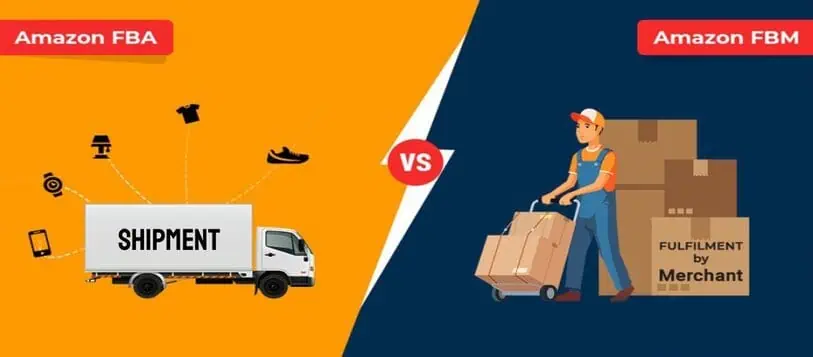
Amazon FBA vs. FBM: What’s the Difference and Which Fulfillment Method is Right for You?
3 min read StaffCloud
Selling on Amazon presents a tremendous opportunity for business growth, but your success heavily depends on choosing the right fulfillment strategy. Amazon offers two main fulfillment options: Fulfillment by Amazon (FBA) and Fulfillment by Merchant (FBM). Each model comes with its own set of advantages and challenges, influenced by your business model, product type, and operational goals.
At PHP Workshop (also known as Staffloud.net), we’ve guided numerous Amazon sellers through this critical decision, helping them optimize their fulfillment strategy for maximum efficiency and profitability.
In this article, we’ll compare Amazon FBA and FBM to help you determine which approach best fits your needs.
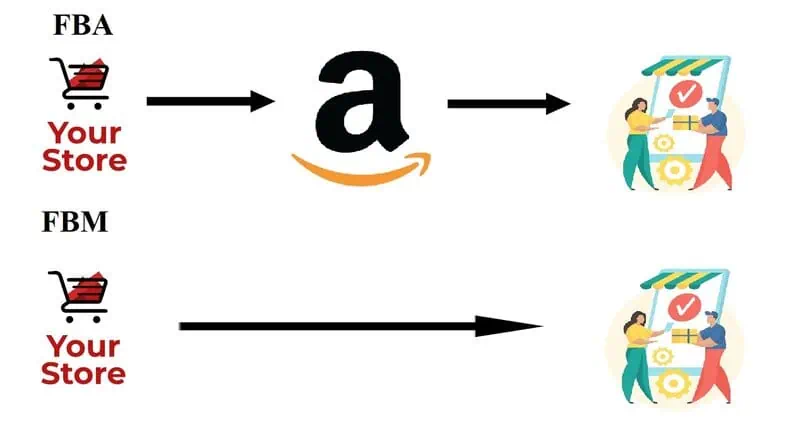
Fulfillment by Amazon (FBA)
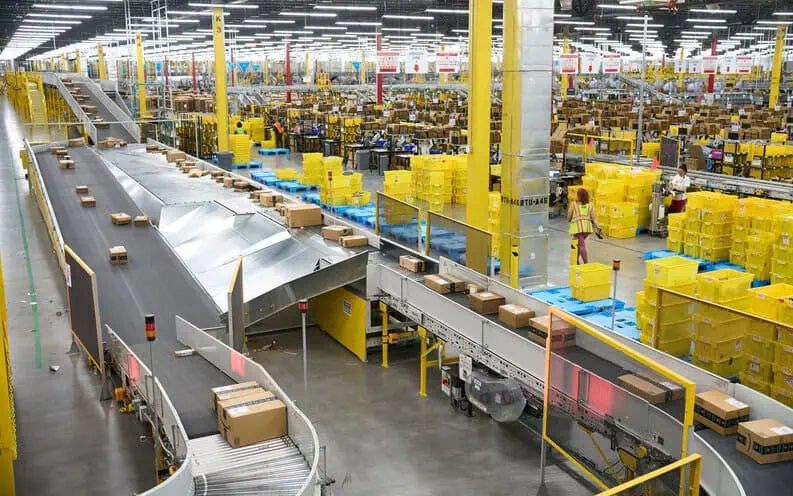
With FBA, Amazon takes over the entire fulfillment process—handling storage, packing, shipping, customer service, and returns on your behalf. Here’s how it works:
- You ship your inventory to Amazon’s fulfillment centers.
- Amazon stores your products in its warehouses.
- When an order is placed, Amazon picks, packs, and ships the item.
- Amazon also manages returns and customer service inquiries.
Pros of FBA:
✅ Prime Eligibility – FBA products get the Prime badge, attracting more buyers. ✅ Hands-Off Fulfillment – No need to worry about shipping or returns. ✅ Multi-Channel Fulfillment – Amazon can fulfill orders from other sales channels (e.g., your website). ✅ Better Buy Box Win Rate – FBA sellers often win the Buy Box over FBM sellers.
Cons of FBA:
❌ Higher Fees – Storage fees, fulfillment fees, and long-term storage fees can add up. ❌ Less Control – Amazon handles customer service, which may not align with your brand. ❌ Inventory Restrictions – Amazon may impose storage limits, especially during peak seasons.
Best for: Sellers with small, lightweight, fast-moving products who want a hands-off approach.
Fulfillment by Merchant (FBM)
With FBM, the seller is responsible for managing every aspect of the fulfillment process—from storage and packaging to shipping and customer service.
- You list your products on Amazon.
- Once an order is placed, you pack and ship the item yourself (or use a third-party logistics provider).
- You handle all returns and customer communication directly.
Pros of FBM:
✅ Lower Costs – No Amazon fulfillment fees, making it ideal for large, heavy, or low-margin products. ✅ Full Control – You manage shipping speed, packaging, and customer interactions. ✅ No Storage Limits – You’re not restricted by Amazon’s warehouse space. ✅ Custom Branding – You can add personalized packaging and inserts.
Cons of FBM:
❌ No Automatic Prime Badge – Unless enrolled in Seller Fulfilled Prime (SFP), your listings won’t have Prime benefits. ❌ More Work – You must handle logistics, customer service, and returns. ❌ Slower Shipping (Unless You Offer Fast Delivery) – Customers prefer Prime’s 2-day shipping.
Best for: Sellers with large, slow-moving, or custom products who want more control over fulfillment.

FBA vs. FBM: How to Choose the Right Model Choose Amazon FBA if you:
- Sell lightweight, fast-selling products.
- Prefer a hands-free fulfillment process.
- Want access to Amazon Prime benefits, even at a higher cost.
Choose Amazon FBM if you:
- Sell large, bulky, or low-margin items.
- Want full control over shipping, branding, and inventory.
- Have your own warehouse or use a third-party logistics (3PL) provider.
A Hybrid Approach: Combine FBA and FBM
Many successful sellers leverage both FBA and FBM, depending on the product:
- Use FBA for your bestsellers to benefit from Prime eligibility and faster delivery.
- Use FBM for slow-moving, oversized, or specialty items to minimize fulfillment costs.
Both FBA and FBM offer unique benefits, and the best choice often depends on your specific business needs. At Staffcloud, we help streamline both fulfillment models for our clients through comprehensive back-office support tailored to your Amazon store.
To explore our services more, connect with us at support@staffcloud.net or simply fill out our contact form or call us at +91-9326811779.
Related services
- eCommerce Order & Fulfillment Operations From purchase order to tracking number, across every channel you sell on. Explore service
- eCommerce Amazon Seller & Vendor Central Management Seller and Vendor Central run day to day — listings, content, ads, cases and claims. Explore service
- AI Solutions Generative AI & AI Search Optimization Generative production and AI search readiness, with human QA on every asset. Explore service
More articles in Amazon
-
 21 July 2025
How to Add ‘There Is a Newer Version of This Item’ Tag to your Amazon Listing?
If you’ve ever browsed Amazon, you might have come across a subtle yet powerful message above the product title that say
21 July 2025
How to Add ‘There Is a Newer Version of This Item’ Tag to your Amazon Listing?
If you’ve ever browsed Amazon, you might have come across a subtle yet powerful message above the product title that say
-
 23 November 2024
How to use Automate Pricing Feature on Amazon Seller Central?
Automate Pricing is a powerful tool offered by Amazon Seller Central to help sellers dynamically adjust their prices in
23 November 2024
How to use Automate Pricing Feature on Amazon Seller Central?
Automate Pricing is a powerful tool offered by Amazon Seller Central to help sellers dynamically adjust their prices in
-
 5 July 2024
How to set up Product Variations on Amazon Seller Central?
Ever get confused by Amazon product variations? You're not alone! These can be a powerful tool to boost your sales, but
5 July 2024
How to set up Product Variations on Amazon Seller Central?
Ever get confused by Amazon product variations? You're not alone! These can be a powerful tool to boost your sales, but